
Key Points
Key Points
- A CDN serves static files from edge servers near each visitor
- Cache hits are fast; cache misses fetch from your origin once
- It complements hosting and caching, it does not replace them
- Global, image-heavy, or spiky sites benefit most
- Free tiers make trying a CDN low-risk for small sites
- Purge the cache after design or image changes
On This Page
- In This Guide, You Will Learn
- The Library Analogy That Finally Made It Click for Me
- Subscribe to CAAW News
- How a CDN Actually Works, Step by Step
- What Gets Faster, and What Does Not
- Do You Actually Need One in 2026?
- Security and Traffic Spikes: The Benefit I Did Not Expect
- Setting One Up Without Breaking Your Site
- Frequently Asked Questions
- What does CDN stand for?
- Does a CDN replace my web hosting?
- What does a CDN cache?
- Is a CDN free?
- Will a CDN improve my search rankings?
- Can a CDN break my site?
- Final Thoughts
- React to this story
I once had a reader in another country tell me my site took forever to load, while for me, sitting near my server, it opened in a blink. I checked everything, my hosting, my images, my plugins, and I still could not reproduce her problem, until someone explained that distance itself was slowing my site down. That fear, that visitors far away are quietly leaving before they ever see your work, is why I wrote this guide. I will explain what a CDN is in plain language, show you exactly how it works, and help you decide honestly whether you need one in 2026, with no jargon and no pressure to buy anything you do not need.
A quick trust note: a CDN is not magic and it does not replace good hosting. I will show you where it helps most, where it barely matters, and how to try a free tier before spending a penny.
In This Guide, You Will Learn
- What a CDN is and how it serves visitors from nearby servers
- How caching, edge servers, and your origin server work together
- When a CDN is worth it and when you can safely wait
- What a CDN does for security and traffic spikes
- How to set one up without breaking your site
The Library Analogy That Finally Made It Click for Me
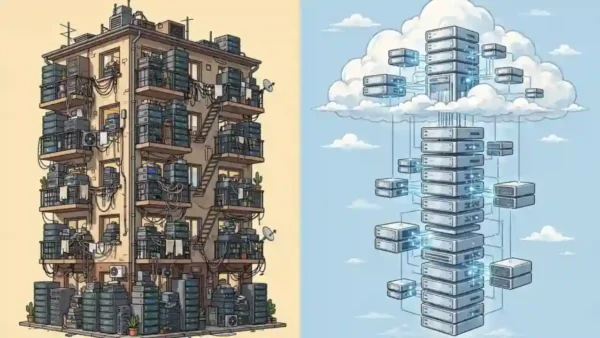
I struggled with CDN explanations for years because they were full of acronyms, until I heard the library version, and suddenly it all made sense. Imagine your favourite book exists in only one library in one city, and every reader in the world must wait for a copy to travel to them. That is a website without a CDN: one origin server, serving everyone, no matter how far away they live.
A CDN is like stocking that same book in hundreds of local branches, so a copy is always close by. As one 2026 guide put it, a CDN stores cached copies of your site’s static content and serves each visitor from the location closest to them, which shortens the distance data travels and helps pages load faster everywhere.
That single idea, copies close to readers, explains almost everything else about CDNs, including why they help global sites most, why they help image-heavy sites, and why a purely local site may notice far less difference.

How a CDN Actually Works, Step by Step
I like to picture the journey of one visitor, because it turns an abstract network into something I can follow. Without a CDN, every file request goes to your origin server, the one server where your website actually lives, and a visitor far away waits for every image, stylesheet, and script to travel that whole distance.
With a CDN, the journey changes. A detailed 2026 explanation describes how a CDN intercepts static files and serves them from an edge server that may be ten miles from your visitor instead of three thousand, and that distance saving is the whole point. Edge servers sit in data centres called points of presence, spread across many cities and countries.
Here is the sequence in plain terms. Your visitor asks for a page, their request is routed to the nearest edge server, and that server checks its cache, its saved copy of your files. If the file is there, a cache hit, it is served immediately from nearby. If it is not there, a cache miss, the edge server fetches it from your origin, saves a copy, and serves it, so the next visitor nearby gets the fast version.
Static files are the stars here: images, stylesheets, scripts, and fonts, because they look the same for every visitor and can safely be cached for hours or days. Dynamic content, like a shopping basket or a logged-in dashboard, usually bypasses the cache and still goes to your origin, which is why a CDN complements hosting and caching instead of replacing them.
What Gets Faster, and What Does Not
I made the mistake early on of expecting a CDN to fix every slow page, and I was disappointed until I understood its limits. A CDN mainly speeds up delivery of static files to distant visitors, and it reduces load on your origin server, because edge servers answer many requests on its behalf.
It does not fix a bloated theme, unoptimised images, or a slow database query, because those problems live on your origin or in your page itself. Think of it this way: a CDN shortens the road, but it cannot make a heavy lorry light. You still need good hosting, sensible image sizes, and caching on your own site.
Where I have seen the clearest wins is on image-heavy pages and on sites with readers on several continents. One overview noted that a CDN keeps cached copies at points of presence close to visitors, so pages load faster, the origin carries less load, and the site stays available under heavy traffic, and that last point, staying available, matters as much as raw speed when a post suddenly takes off.
Do You Actually Need One in 2026?
I will be honest with you: not every site needs a CDN today, and anyone who tells you otherwise may be selling one. If your audience is mostly in one city or country, close to your server, and your site is small and fast already, a CDN may only shave a little time off, and you can safely spend your energy elsewhere first.
You likely do need one if your audience is global, your pages are image or video heavy, your traffic spikes unpredictably, or your origin server struggles under load. One guide summarised it well: you likely want one if your audience is global, image-heavy, or growing, while a small local site can wait, and I agree with that line completely.
There is also a practical reason the answer has shifted in 2026. Free tiers exist, notably from Cloudflare, so trying a CDN often costs nothing but a little setup time, which changes the maths. If cost was your only objection, that objection is much weaker than it used to be, though you should still check what the free tier actually includes before you rely on it.
My own decision rule is simple. If more than a small share of your visitors are far from your server, or if you have ever watched your site crawl during a traffic spike, try a CDN. If neither is true, fix hosting and images first, and revisit the CDN question when your audience grows.

Security and Traffic Spikes: The Benefit I Did Not Expect
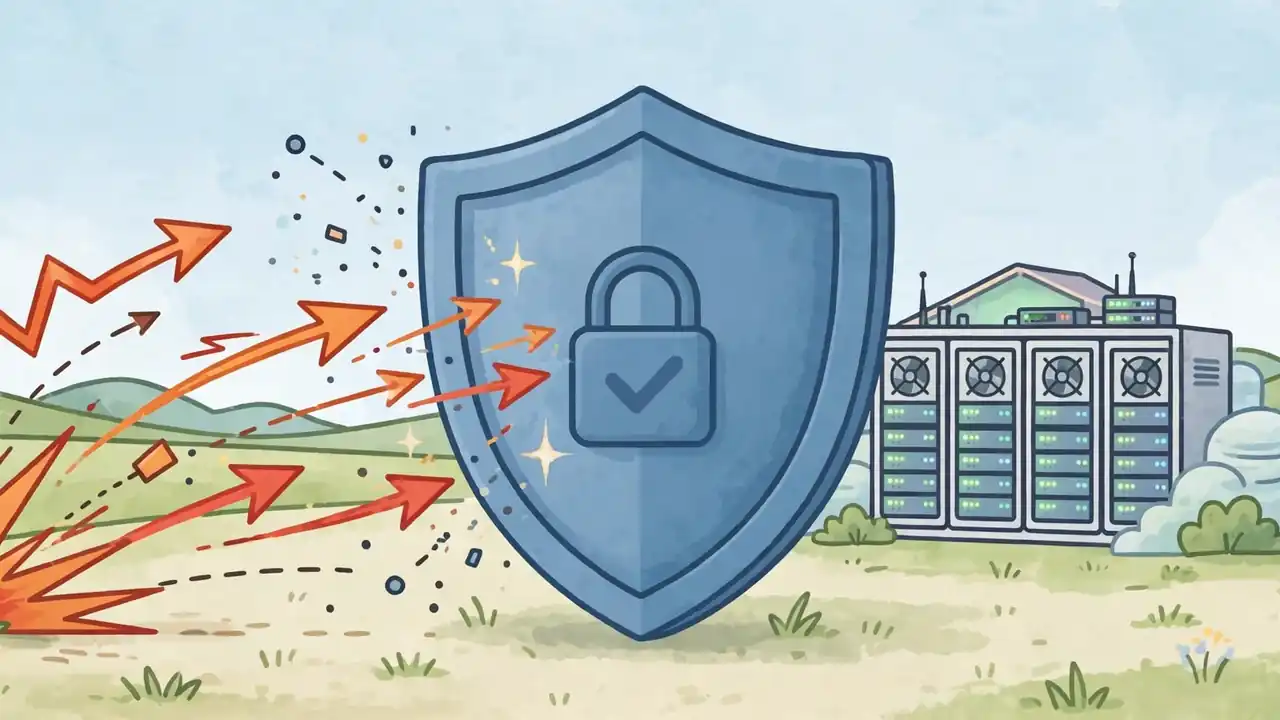
I first tried a CDN for speed, but the benefit that kept me was resilience. Because edge servers absorb much of the traffic, your origin is shielded from sudden surges, whether that surge is a viral post, a sale, or a bot attack trying to overwhelm your server.
Modern CDNs also add security layers, including distributed denial-of-service protection, a web application firewall on paid plans, and bot management, which is a long way from the simple file-delivery networks of the late 1990s. One 2026 guide argued that modern CDNs provide security, including DDoS protection and bot management, not just speed, and that matches my experience: my site felt calmer under attack once a CDN sat in front of it.
None of this makes your site invincible, and a CDN is not a substitute for updates, strong passwords, and backups. But as a shield that also speeds things up, it is unusually good value, especially on a free tier, and I now think of it as infrastructure rather than an optional extra for larger sites.
Setting One Up Without Breaking Your Site
I was nervous the first time I pointed my domain at a CDN, because it felt like rewiring the house while the lights were on. In practice, the common route is calmer than it sounds: create an account, add your site, update your domain’s nameservers or DNS records as instructed, and let the CDN start caching your static files.
Do it on a quiet day, not five minutes before a launch, and test afterwards like a sceptic. Load your site from a fresh browser window, check images, check forms, check checkout if you sell anything, and purge the cache after you change a design or an image, because a cached old version is the most common CDN confusion I see.
One caution from my own mistakes: do not purge and reconfigure repeatedly in a panic, and do not assume every problem is the CDN. Turn it to a bypass or development mode when diagnosing, check whether the problem remains, and only then blame the cache. That single habit has saved me hours of chasing the wrong culprit.
If you are still choosing the home your site lives on, our guide to shared versus cloud hosting will help you pick the origin server first, and if you later move that home, our guide on how to move a WordPress site to a new host covers the migration safely. And because streaming is where CDNs quietly do their heaviest work, you may enjoy our roundup of the best TV shows of 2026 so far, all delivered to your screen through networks like the one described here.
Callout: My CDN readiness check. Ask yourself three questions: Are many visitors far from my server? Is my site image or video heavy? Has traffic ever overwhelmed my origin? If you answer yes to even one, try a free CDN tier this week and measure before and after. If you answer no to all three, keep the CDN on your later list and fix images and hosting first.
Frequently Asked Questions
What does CDN stand for?
CDN stands for Content Delivery Network: a geographically distributed network of servers that caches copies of your website’s files and delivers them to visitors from the location nearest to them.
Does a CDN replace my web hosting?
No. Your origin server still holds the original content, and the CDN delivers cached copies from edge servers near your visitors. A CDN works alongside hosting and caching, it does not replace either one.
What does a CDN cache?
Mainly static content: images, stylesheets, JavaScript, fonts, and sometimes video segments. Dynamic, personalised content such as shopping baskets and logged-in pages usually bypasses the cache and is served from your origin.
Is a CDN free?
Some providers offer genuinely capable free tiers, notably Cloudflare, which makes trying one low-risk for small sites. Larger sites, heavy video, or advanced security features usually need a paid plan, so check limits before you depend on a free tier.
Will a CDN improve my search rankings?
Indirectly, yes, because faster pages improve Core Web Vitals and user experience, both of which Google considers, but a CDN alone will not rank a poor page well. Content, relevance, and overall site quality still matter most.
Can a CDN break my site?
It can cause confusion, most often stale cached images or styles after a redesign, but this is usually fixed by purging the cache. Test after setup, use bypass mode when diagnosing, and change one thing at a time.
Final Thoughts
I started out thinking a CDN was an enterprise luxury, and I ended up seeing it as a quiet piece of infrastructure that makes the internet feel instant, especially for readers far from my server. Distance still matters online, even when it feels invisible, and a CDN is simply the honest answer to that physics problem.
You have done well to understand it this far, and now the decision is yours, not a sales page’s. Try the readiness check, measure your site before and after if you do try one, and choose based on your visitors, not on hype. And if you have tried a CDN, good or bad, share your story in the comments, because your experience could save another site owner a very long night.
React to this story